Be the business that knows what changed in your trade.
Every business has to publish to be noticed now. Overscan reads the sources you choose, writes what is new and why it matters to your customers, and waits for your OK. Nothing goes out under your name until you approve it.
Here for the VFX news? The VFX Supervisor Daily coming. Need VFX help on a show? Work with me.
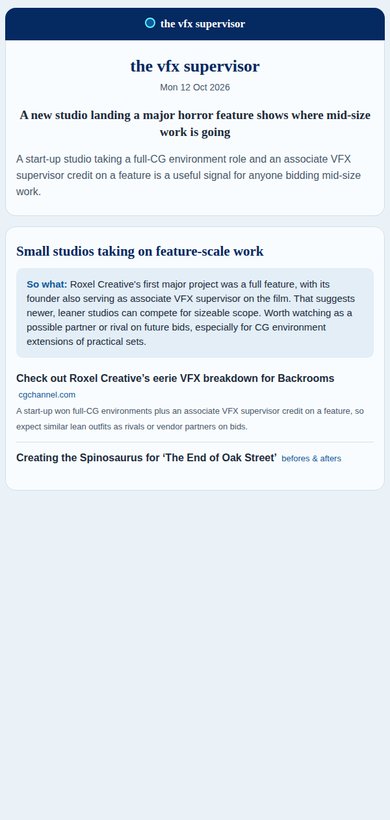
Geoff's own daily VFX brief is made this way: public sources in, one editor approving each morning. Its public edition is The VFX Supervisor Daily.
The VFX Supervisor Daily coming
One morning, three steps
You pick the sources
Websites, RSS feeds, forum threads, YouTube channels, keywords, or a page saved with a browser button. Say in your own words who reads you and what they care about.
It reads and drafts
Every morning it checks each source, keeps only what is new, and writes one line per story on why it matters. Every link points back to the original.
You approve
You read the draft and approve it, or skip the day and nothing goes out. The approved issue comes to you, ready to send through the tool you already use.
Your name, your OK on every issue
Nothing goes out until you say so
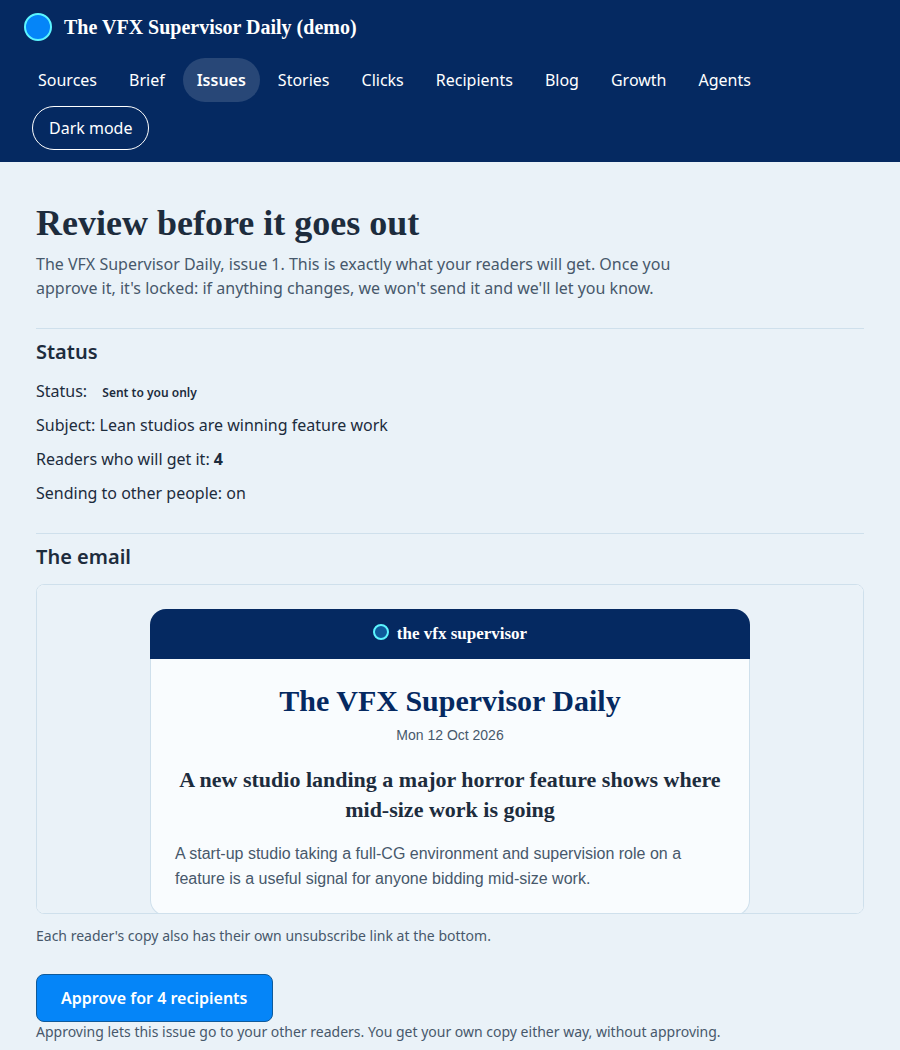
Overscan drafts. You decide. An issue waits for your approval, and once you approve it, it is locked: nothing changes after that except your name on it.
Each approved issue is printed with "Reviewed by" and your name.
Careful by default
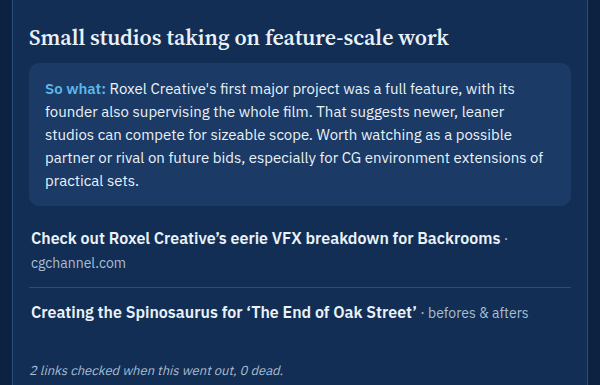
It opens every link before the issue goes out and leaves out a story whose only link is dead. It remembers what your readers have already seen and keeps a story out unless something changed; when it has, the story comes back marked as an update.
The last line of every issue says how many links were checked.
For any business that has to publish to be noticed
A local trade
A plumber, an electrician, a builder: a short weekly note to your customers on what changed in the trade (rules, prices, products), with your name on it.
Advisers and consultancies
Your clients and contacts get something useful from you each week, not a sales email. A reply is a warm conversation.
Trade bodies and brands
One editor keeps a whole field or customer base up to date, and approves every issue before it goes.
Daily for a fast field, weekly for everyone else. Both work today.
What it does not do
- Write your own company news. Overscan works from other people's sources about your trade. Your own announcements are still yours to write.
- Run ads or paid subscriptions. Use a newsletter platform built for that.
- Run without you. A person approves every issue. That is the point.
Three other ways to do this
By hand
You read the trade press every morning and write it up. Full control. It costs the hours you do not have, and it stops the first busy week.
A newsletter platform
Good for sending and for growing a list. You still find the news and write every word yourself.
A personal AI briefing
Fast and often free, and a fine way to keep yourself informed. It is written for you, not for your customers under your name, with your approval on every issue.
Overscan does the reading and the first draft. You keep the approval and the name.
Before you ask
Is AI writing it?
It drafts. You approve. Every story links to its original source, and nothing goes out until you approve it. If you would not sign it, do not send it.
Who owns what it makes?
You do: your sources, your brief and every issue. Today the approved issue comes to you, and you send it to your own list through the tool you already use.
What does it cost?
We set it up with you as a paid engagement, quoted after a short call. There is no self-serve plan or public price yet.
Not built yet, and we say so
- Email to your readers coming
Issues sent by email to your readers from your own domain (for example news.yourbusiness.com), with a dated consent record for each reader and one-click unsubscribe. - Readers choose their own version coming
Each reader picks their topics, length, time and format. - Sign up on your own coming
Today we set it up with you.
Tell me what you would send, and to whom.
I read every message myself and reply from geoff@thevfxsupervisor.com to set up a short call.